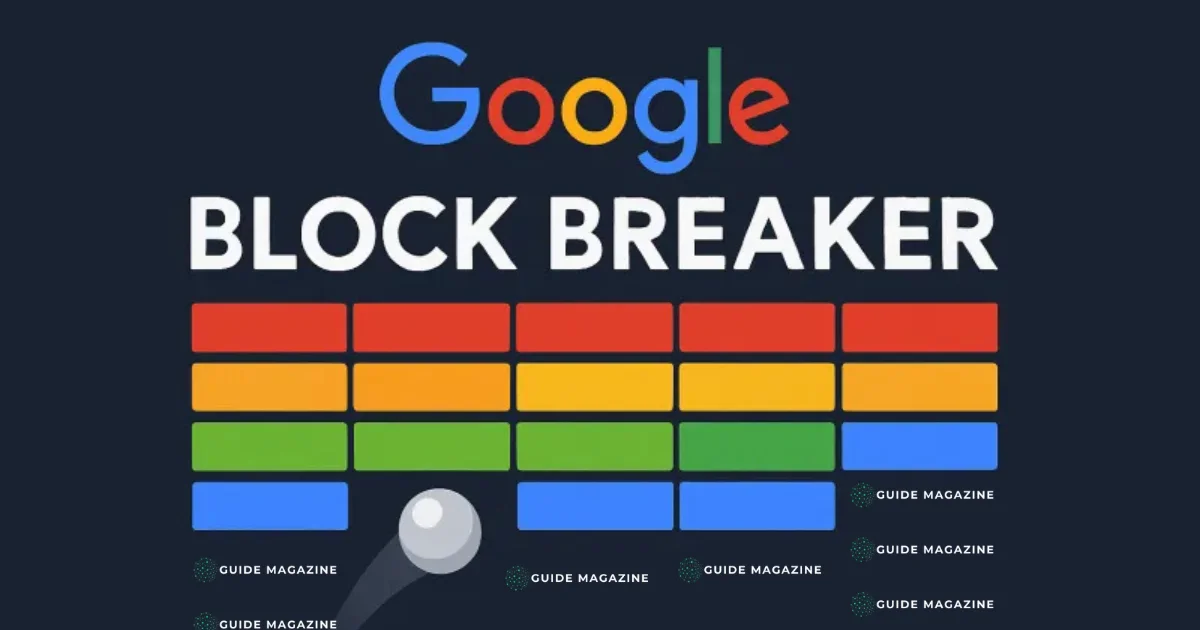
Google Block Breaker is a fun, browser-based game that brings the excitement of classic arcade games right to your fingertips. Inspired by the legendary “Breakout” and “Brick Breaker” games of the 1970s and 80s, the game challenges players to use a paddle to bounce a ball and break blocks, clearing levels while aiming for high scores. Unlike modern games that require downloads or accounts, Google Block Breaker runs directly in your web browser, making it accessible anytime and anywhere.
This game has gained popularity not only because it is simple and engaging but also because it evokes nostalgia for players who grew up with arcade classics. Whether you are a casual gamer looking for a quick distraction or a retro enthusiast seeking simple, addictive gameplay, this guide will provide everything you need to know about accessing, playing, and mastering Google Block Breaker.
What Is Google Block Breaker?
Google Block Breaker is a browser-based arcade game where the main goal is to break bricks using a ball and paddle. Players control a paddle at the bottom of the screen and bounce a ball to hit and destroy bricks arranged in patterns at the top. Once all bricks are cleared, the player advances to the next level.
Although Google Block Breaker is often called a “Google game,” it is not an official standalone product. It is usually found as a hidden Easter egg in Google Search or as part of interactive Google Doodles. Many third-party websites also host versions of the game, allowing players to enjoy the classic gameplay without downloads or installations. Its simplicity, accessibility, and fun factor make it appealing to players of all ages.
Origins and Popularity
The roots of Google Block Breaker trace back to the classic Atari game, Breakout, released in 1976. Breakout introduced the concept of a paddle bouncing a ball to destroy bricks, which became a staple formula for many arcade games that followed. Google Block Breaker revives this nostalgic gameplay while providing modern accessibility through web browsers.
Players love Google Block Breaker for several reasons:
-
Instant access: No installation or account required.
-
Nostalgic appeal: Brings back memories of old-school arcade games.
-
Easy to play: Simple controls make it suitable for all ages.
-
Cross-platform availability: Works on desktops, laptops, tablets, and mobile devices.
These qualities contribute to its enduring popularity among casual gamers and retro enthusiasts alike.
How to Access Google Block Breaker
Although Google doesn’t always promote the game, there are multiple ways to access it:
-
Search Engine Easter Egg:
Older versions of Google Block Breaker appeared when users searched for “Atari Breakout” or “Block Breaker” in Google Images. This triggered a playable game within the search results. -
Google Doodle Archives:
Some Google Doodles are interactive and feature mini-games similar to Block Breaker. These can be accessed directly from the Google Doodle archive. -
Browser Play on Trusted Sites:
Many websites host browser-based versions of the game. Players can launch these versions immediately without downloads, making it convenient to play anytime.
For all methods, you only need a modern web browser and an internet connection to start playing.
Gameplay Basics
Getting Started
-
Open the game in your browser.
-
Click or tap Play to begin.
-
The ball launches, and the paddle appears at the bottom of the screen.
Controls
-
Desktop: Move the paddle using the left and right arrow keys or mouse.
-
Mobile: Swipe or tap to control the paddle.
Objective
The primary goal is to keep the ball in play while breaking all bricks on the screen. Each level introduces new brick arrangements and increasing difficulty.
Power-Ups
Some bricks release special bonuses when broken, such as:
-
Extended Paddle: Makes it easier to bounce the ball.
-
Multi-Ball: Adds more balls, increasing chances to clear bricks quickly.
-
Speed Changes: Can either speed up or slow down the ball.
Collecting power-ups strategically can significantly improve your performance.
Advanced Tips for Mastery
To excel in Google Block Breaker, consider these strategies:
1. Angle Control
Hitting the ball at different parts of the paddle changes its trajectory. Use this to target hard-to-reach bricks efficiently.
2. Prioritize Power-Ups
Collect bonuses that help you clear bricks faster. Avoid ones that shrink your paddle or drastically increase speed unless you are confident in your control.
3. Focus on Ball Retention
Always aim to keep at least one ball in play, as losing all balls results in losing a life.
4. Predict Ball Movement
Observe the ball’s trajectory after it bounces. Anticipate its path and adjust your paddle position early.
By applying these techniques, players can improve their scores and progress further through the levels.
Is It Safe and Free?
Yes. When played through official Google methods or reputable browser versions, Google Block Breaker is completely free and safe. There are no hidden fees or downloads required.
However, players should be cautious of:
-
Websites asking for downloads or browser extensions.
-
Unknown sources that may not be secure.
Sticking to official Google features or recognized gaming platforms ensures a safe and enjoyable experience.
Benefits of Playing Google Block Breaker
Playing Google Block Breaker offers more than just entertainment:
-
Improves Reflexes: Quick paddle movements train fast reaction times.
-
Enhances Hand-Eye Coordination: Precise aiming improves coordination skills.
-
Mental Break: Offers a quick, fun distraction from work or study.
-
Nostalgia: Brings back memories of classic arcade games for older players.
These benefits make the game both enjoyable and subtly enriching.
Common Misconceptions
Is Google Block Breaker an Official Permanent Google Product?
No. It is mostly available as an Easter egg or interactive Doodle rather than a permanent Google app.
Is It Always Accessible?
The game may not be available everywhere or all the time, as its appearance can vary by region or Google updates.
Can Progress Be Saved?
Most versions do not save progress, so closing the browser or tab will reset the game.
Read More: Coruzant Technologies: Pioneering Blockchain in Tech Media
Conclusion
Google Block Breaker is a timeless browser game that combines simple mechanics with addictive fun. Its roots in classic arcade games make it appealing to both casual gamers and retro enthusiasts, while its browser-based accessibility ensures anyone can play without downloads or accounts. The game’s charm lies in its simplicity: bounce the ball, break bricks, collect power-ups, and aim for the highest score.
Whether discovered as a hidden Google Search Easter egg, an interactive Doodle, or through a trusted online version, Google Block Breaker provides a nostalgic and entertaining experience. By mastering paddle control, using power-ups strategically, and predicting ball movement, players can enjoy hours of fun while also improving reflexes and coordination.
Ultimately, Google Block Breaker proves that sometimes the simplest games are the most engaging — offering instant enjoyment, timeless appeal, and a delightful way to take a break from daily routines.
FAQs
1. How do I play Google Block Breaker?
Use your paddle to bounce the ball and break all bricks on the screen. Arrow keys or swipes control the paddle.
2. Is Google Block Breaker free?
Yes. It is completely free and requires no downloads or accounts.
3. Can I play Google Block Breaker on mobile?
Yes, touch controls allow you to play on smartphones or tablets.
4. Why can’t I find Google Block Breaker in search?
It may not be available in all regions or might appear only in certain versions of Google Search.
5. How can I improve my score?
Focus on angle control, keep balls in play, and collect power-ups to maximize your score.